Private AI meeting notes that stay on your computer. A free, open-source alternative to Granola for Mac, Windows and Linux.
Live transcripts. Yogurt records calls and turns speech into text as you talk.
Meeting summaries. Yogurt writes up the conversation and any notes you add.
Private by default. Your audio, transcripts and AI processing stay on your computer.
Free and open source. You can use Yogurt without an account.
Who said what. Yogurt names speakers from Zoom, Teams and Meet on Mac only.
Languages. Multi-language mode transcribes 99 languages.
Recording reminders. Yogurt offers to record when a supported call starts.
Answers with sources. Yogurt answers questions across meetings and links to the source.
Folders and search. You can find meetings by folder, title, notes or transcript.
Copy and export. You can copy notes or transcripts, or save both as Markdown.
Local MCP server. When you turn this on, apps on your computer can read your notes, transcripts and saved audio.
Automatic stop. By default, Yogurt stops recording when it detects that your call has ended.Entropy is a CLI tool that will scan your codebase for high entropy lines, which are often secrets.
Ultra-minimalist macOS dictation.

MP4 muxer and editor, can add tx3g subtitles, video, audio and chapters tracks compatible with QuickTime
MacDirStat scans any folder and turns your filesystem into an interactive sunburst chart — every ring is a depth level, every arc is a file or folder, sized by disk usage. Hover to inspect. Click to drill in. Right-click to delete.

Vorssaint is the one menu bar app that does the work of a whole shelf of paid Mac tools. Per app volume, a full system monitor, window controls, clipboard history, a window switcher, a file shelf, an app uninstaller, link cleaning, keep awake and a handful more, all living behind a single icon up in your menu bar. Install it once and stop paying for and juggling a pile of single purpose apps. It is local-first and stays out of your way: core features run on your Mac, with network used only for update checks, speed tests and Homebrew actions you start. Free, open source, no account, no subscription and no Vorssaint telemetry.
A different theme color for every app.
NetFluss ist die minimale, ressourcenschonende Open-Source-Menüleisten-App für macOS. Überwachen Sie Upload- und Download-Raten in Echtzeit, analysieren Sie Bandbreitenfresser und steuern Sie Ihr DNS-Routing direkt aus der Menüleiste.

Browse what you have installed. Search the full catalog. Install, uninstall, upgrade with live output. Snapshot your setup to a Brewfile and restore it on a new Mac. Shipped as a cross-platform Tauri app and a fully native Swift / SwiftUI app.
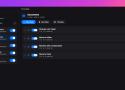
The Hazel alternative for macOS. Watch folders, match files with clear rules, and move, rename, tag, or label them automatically on your Mac.

The screenshot tool
Apple forgot to make.
Annotate, blur, beautify, record, scroll capture, OCR, upload.
Premium features, no price tag. Free and open source forever.

MarkItDown is a lightweight Python utility for converting various files to Markdown for use with LLMs and related text analysis pipelines. To this end, it is most comparable to textract, but with a focus on preserving important document structure and content as Markdown (including: headings, lists, tables, links, etc.) While the output is often reasonably presentable and human-friendly, it is meant to be consumed by text analysis tools -- and may not be the best option for high-fidelity document conversions for human consumption.
Nicotine+ is a graphical client for the Soulseek peer-to-peer network.
Share files, chat, and find people with similar interests. Nicotine+ is user-friendly, fast, free, and open source. It provides features and refinements that focus on usability, while remaining fully compatible with other Soulseek clients.
Nicotine+ is written in Python, and uses GTK for its graphical user interface.
rsync, reimagined.
Parallel delta-sync engine built in Rust. BLAKE3 hashing, zero-copy I/O, content-defined chunking. Drop-in rsync replacement.

The archive manager for macOS.
Browse archives like folders. Preview files without extracting. Drag out only the ones you need.

Give every app
its own Alt-Tab.
A minimal window manager for macOS.

Hundreds of models & providers. One command to find what runs on your hardware.
A terminal tool that right-sizes LLM models to your system's RAM, CPU, and GPU. Detects your hardware, scores each model across quality, speed, fit, and context dimensions, and tells you which ones will actually run well on your machine.
Ships with an interactive TUI (default) and a classic CLI mode. Supports multi-GPU setups, MoE architectures, dynamic quantization selection, speed estimation, and local runtime providers (Ollama, llama.cpp, MLX, Docker Model Runner, LM Studio).
The free AI already on your Mac. CLI tool, OpenAI-compatible server, and interactive chat — all on-device via Apple Intelligence. No API keys, no cloud, no downloads.
Avnac is a browser-first design editor for posters, layouts, social graphics, and other canvas-based compositions.
Current Product State
Avnac today is strongest around:
Fast browser-local editing
A custom scene editor with direct manipulation controls
Files saved in IndexedDB with a dedicated /files view
JSON import/export
Legacy file migration into the current editor format
Image export as PNG, JPG, and WebP
Prompt-driven editing through the Magic panel
Things that are true right now:
The main editing experience lives in the frontend
The app is desktop-first; mobile editing is intentionally blocked
File persistence is primarily browser-local today
The backend exists, but it is optional for many day-to-day editor tasks