LocalSend is a free, open-source, cross-platform file sharing tool that allows you to share files to nearby devices.
Free file archiver utility for Windows, macOS, Linux, Open Source file compression and encryption software. Open, extract RAR TAR ZIP archives, 200+ formats supported

GUI Tool To Removes Ads From Various Places Around Windows 11 - xM4ddy/OFGB

Private, markdown based, note taking app with a focus on speed, simplicity and ownership.
Rocket is a free Mac app that makes typing emoji faster and easier using Slack-style shortcuts.
locally hosted web application that allows you to perform various operations on PDF files - Stirling-Tools/Stirling-PDF

Menu bar calendar for macOS. Contribute to pakerwreah/Calendr development by creating an account on GitHub.


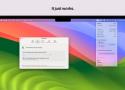
Manage and extend the life of your Mac's battery with BatFi, a powerful yet simple battery management software designed exclusively for macOS. BatFi keeps a close eye on your battery's percentage and charging state, offering intelligent control to ensure optimal battery performance and longevity.

hexyl is a simple hex viewer for the terminal. It uses a colored output to distinguish different categories of bytes (NULL bytes, printable ASCII characters, ASCII whitespace characters, other ASCII characters and non-ASCII).

sd is an intuitive find & replace CLI.
digiKam is an advanced open-source digital photo management application that runs on Linux, Windows, and macOS. The application provides a comprehensive set of tools for importing, managing, editing, and sharing photos and raw files.

Animated SVG icons
you'll love to use
Loaf takes the hassle out of manually creating SVG animations.
This tool can be described as a Tiny, Dirty C command that looks for coreutils basic commands (cp, mv, dd, tar, gzip/gunzip, cat, etc.) currently running on your system and displays the percentage of copied data. It can also show estimated time and throughput, and provides a "top-like" mode (monitoring).
Meet the fastest AI image upscaler you've seen. Go from 400px to 2000px in less than 2 seconds, adding missing details as it goes along. Full privacy. No usage limits. No more buying credits on shady websites.
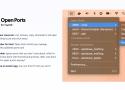
💻 Lives in your menu bar.
List, browse, copy, terminate or kill open ports. Everything is just one click away!
🐳 Using Docker for Mac?
Open Ports will let you manage containers with published ports too!
🪄 Customizable.
Ignore ports that you don't care about, which is what I should have done with that Discord process. Wait, why does Discord need to open a port anyway?
🐣 It may have an easter egg.
Can you find it? I bet you can't!

Malwarebytes AdwCleaner
The world’s most popular adware cleaner finds and removes unwanted programs and junkware so your online experience stays optimal and hassle-free.

Hand Mirror is a super simple app that lives in your Menu Bar (little cozy top right corner of your Mac) and gives you a one-click access camera check!
‣ Need to jump on a video call? Quick camera check.
‣ Need to quickly check your surroundings? Quick camera check.
‣ Need a view of your camera for when you're streaming or recording your screen? Quick camera check and drag the window around.
‣ Need to check your face because you're gorgeous? Quick camera check.
Hidden Bar lets you hide menu bar items to give your Mac a cleaner look.