Ever been wondering if your ISP is hijacking your DNS traffic? Ever observed any misbehavior with your DNS responses? Ever been redirected to wrong address and suspected something is wrong with your DNS? Here we have a set of tools to perform basic audits on your DNS requests and responses to make sure your DNS is working as you expect.
You can measure the response time of any given DNS server for arbitrary requests using dnsping. Just like traditional ping utility, it gives you similar functionality for DNS requests.
You can also trace the path your DNS request takes to destination to make sure it is not being redirected or hijacked. This can be done by comparing different DNS queries being sent to the same DNS server using dnstraceroute and observe if there is any difference between the path.
dnseval evaluates multiple DNS resolvers and helps you choose the best DNS server for your network. While it is highly recommended to use your own DNS resolver and never trust any third-party DNS server, but in case you need to choose the best DNS forwarder for your network, dnseval lets you compare different DNS servers from performance (latency) and reliability (loss) point of view.
Install High Sierra on older Macs.
One app to rule them all
Station is the first smart workstation for busy people.
A single place for all of your web-applications.
PDF Archiver
A tool for tagging files and archiving tasks.
The Goal
Archive all incoming documents digitally to access and search them in an easier way. Transfer the sorted documents to your smartphone or make a backup within seconds.
The Way
Scan all incoming bills, letters etc. and save them on your computer/iCloud in an untagged folder.
Put the original paper documents in a folder, sorted by year. Don't care about bills/insurance papers etc.. Just leave all of them in one box for the each year.
Open the PDF Archiver and start tagging. Your documents will be moved from the untagged to your Archive folder.
Integromat will automate processes that you currently handle manually. It is not only capable of connecting apps but can also transfer and transform data. It works 24 hours a day, seven days a week and does not require your intervention. Simply set Integromat to do what you want and let it work for you. Save your time!
- youtube-dl -f 'bestvideo[ext=mp4]+bestaudio[ext=m4a]/mp4'
-
open the iso windows advanced troubleshooting menu > Administrator: X:\windows\system32\cmd.exe > X:\Sources>
-
type: chkdsk /r
(this may take time to complete and may display estimated time)
-
type: bcdedit | find "osdevice"
-
type: sfc /scannow /offbootdir=G:\ /offwindir=G:\windows (Change each drive letter G to the partition displayed in the prior command.)
-
type: bootrec /fixmbr
-
type: bootrec /fixboot
-
type: bootrec /scanos
-
type: bootrec /rebuildbcd
Was ist der BezahlCode?
- Basiert auf dem sog. QR-Code – einer Art zweidimensionalen Barcode
- Binäre Darstellung von Finanzdaten durch quadratische Matrix aus schwarzen und weißen Punkten
- Die Daten des BezahlCodes können auch als Hyperlink hinterlegt sein
- Zum Einlesen der Daten des BezahlCodes ist eine geeignete Software erforderlich
- Der BezahlCode wird entweder direkt durch die jeweilige Software (z.B. Online-Shop-System) erstellt oder kann manuell über den BezahlCode-Generator generiert werden.

Simplify creating a bootable macOS installer.
Also compatible with macOS 10.13 High Sierra.
A powerful and stable keyboard customizer for macOS.
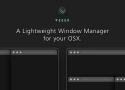
VEEER was built with maximizing your workflow speed in mind - which makes it an essential designer & developer productivity tool.
Here’s why:
- Drag, Minimize, Maximize and
- Center Windows using Mouseclicks
- Instantly – By clicking inside the window
Being a designer, developer or someone who works long days on the Mac, you need a tool that lets you arrange and move windows quickly. VEEER lets you to drag and control your windows by just activating the activation keys and double-clicking inside the window or dragging the window – without having to use the window title bar!
dynDNS gives your Internet router at home a name, so that you can access it remotely to control your smart home, access your network attached storage device or connect to your PC at home.
deSEC offers this service permanently for free and secured with DNSSEC for home use.