A customizable website to replace your 'New Tab' homepage
Very fast. Zero telemetry.
Lightweight, natively built with WebKit, made for you and your Mac.1
Industry-leading battery life, privacy respecting by design and native support for web extensions.2
Don't waste your time with compliance. FastForward automatically skips annoying link shorteners.
As you may know, Universal Bypass is no longer maintained by its original developer, Sainan, who had worked on it for so long. Thanks Sainan for your hard work.
Due to EU regulations and increased awareness of online privacy, every website must get user's permission before installing tracking cookies. If you surf anonymously or if you delete cookies automatically every time you close the browser, websites will ask for that permission again and again, and it will soon become very irritating to click the same I agree buttons every day.
This browser extension removes cookie warnings from almost all websites and saves you thousands of unnecessary clicks!
In most cases, it just blocks or hides cookie related pop-ups. When it's needed for the website to work properly, it will automatically accept the cookie policy for you (sometimes it will accept all and sometimes only necessary cookie categories, depending on what's easier to do). It doesn't delete cookies.
Please educate yourself about cookie related privacy issues and ways to protect yourself and your data. For example, you can block 3rd party cookies, install ad blocking extensions and then block tracking tools, delete browsing data regularly, enable Tracking Protection in your browser etc.
Privacy Pass interacts with supporting websites to introduce an anonymous user-authentication mechanism. In particular, Privacy Pass is suitable for cases where a user is required to complete some proof-of-work (e.g. solving an internet challenge) to authenticate to a service. In short, the extension receives blindly signed ‘passes’ for each authentication and these passes can be used to bypass future challenge solutions using an anonymous redemption procedure. For example, Privacy Pass is supported by Cloudflare to enable users to redeem passes instead of having to solve CAPTCHAs to visit Cloudflare-protected websites.
The blind signing procedure ensures that passes that are redeemed in the future are not feasibly linkable to those that are signed. We use a privacy-preserving cryptographic protocol based on ‘Verifiable, Oblivious Pseudorandom Functions’ (VOPRFs) built from elliptic curves to enforce unlinkability. The protocol is exceptionally fast and guarantees privacy for the user. As such, Privacy Pass is safe to use for those with strict anonymity restrictions.
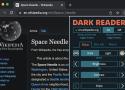
Dark Mode For Everything
Features
- Works directly with Safari, no extra software required.
- Search any site directly from the URL field, for example type amazon headphones on the URL to search Amazon directly for headphones.
- Replace Safari's default search providers with custom ones, DuckDuckGo is a great alternative for example.
- Bundled with common search sites: Amazon, Wikipedia, Youtube, Twitter and more.
- Add any site from the Extension popup on the toolbar.
- Force regular searches by prepending ! to the search query.
- Import/Export data capabilities to easily share configurations between different computers.
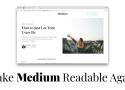
Make Medium Readable Again is a Chrome extension and Firefox add-on that improves a reading experience ruined by user engagement tactics. Medium was actually readable once; this extension aims to help people pay attention to writers' words again instead of Medium's UX.
Improves readability by
- Keeping the top navigation bar from sticking around
- Hiding the bottom "Get Updates" bar completely
- Shrinking massive header images
- Hiding "posts meter" bar and Upgrade header button
- Hiding "Open in App" button on mobile
- Blocking the "pardon the interruption" popup
- (Optionally) hiding the clap / share bar
- (Optionally) loading all post images up front, instead of lazy loading as you scroll
- (Optionally) disabling the popup menu that appears when selecting text

StopTheMadness is a Safari extension for Mac that stops web sites from making Safari harder to use. Some web sites disable Mac user interface features in Safari that you normally expect to work. For example:
- password autocomplete
- ⌘-click to open a link in a new tab
- ⌘-key keyboard shortcuts
- selecting, copying, cutting, and pasting of text
- drag and drop
- opening contextual menus
StopTheMadness ensures that those features continue to work in Safari. With StopTheMadness enabled, the annoying web sites that deliberately make your life harder suddenly become easy to use again!