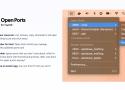
💻 Lives in your menu bar.
List, browse, copy, terminate or kill open ports. Everything is just one click away!
🐳 Using Docker for Mac?
Open Ports will let you manage containers with published ports too!
🪄 Customizable.
Ignore ports that you don't care about, which is what I should have done with that Discord process. Wait, why does Discord need to open a port anyway?
🐣 It may have an easter egg.
Can you find it? I bet you can't!
The easiest network monitor and firewall for Mac
Radio Silence can stop any app from making network connections
Powerful privacy for your Mac
Radio Silence lets you keep a list of apps that aren't allowed to go online.
Protect your privacy
Prevent apps from phoning home
Save on bandwidth and data charges
Radio Silence is completely invisible
The firewall is invisible and always active. You don't have to keep any windows open.
No annoying pop-ups
No clutter on your screen or dock
No effect on your Mac's performance
Easily block unwanted apps from accessing the Internet the second you connect to a hotspot. Save data. Save money.