Blocklists for PiHole
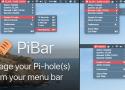
PiBar gives you all the tools you need to manage your Pi-hole(s) right from your macOS menu bar.
To answer your question, the best way would be to create a file called /etc/dnsmasq.d/99-interfaces.conf, and list your interfaces that are not specified in /etc/dnsmasq.d/01-pihole.conf. For example:
interface=wan0
When the DNSmasq service runs, it would always listen on the interfaces specified in 01-pihole.conf in addition to those in 99-interfaces.conf (regardless of IP address range that the interface is using), and it would survive pihole updates/changes.
FYI; the gravity script uses the IP address as defined in /etc/pihole/setupVars.conf when building it's list of blocked hosts. Any devices connected to a different IP address range will be able to query the DNS server, but will timeout when accessing blocked hosts, instead of hitting the webserver and getting a "blank page"
Domain Lists for PiHole