
Improve your Mac experience with a bunch of useful functionality:
Hide all windows (aka. boss mode)
Show the menu bar window for the Passwords app with a keyboard shortcut
Toggle Finder with a keyboard shortcut (aka. visor mode)
Finder: Move files by cutting1 (Command+X) and pasting (Command+V)
Finder: Open files with Return
Finder: Create new text file with Option+N (video) or from the context menu
Finder: Move files to the trash with ⌫ instead of ⌘⌫
Finder: Adds lots of useful actions to the context menu: copy path, move to, open folder with, AirDrop, etc.
Mail: Copy message link
Quit apps with ⇧⌘Q instead of ⌘Q to prevent accidental quitting2
Clicking an active app’s Dock icon hides the app or minimizes its windows
Unminimizes an app’s windows when activated (e.g., via Command+Tab)
Export/import (backup) settings for any apps (video)
Offers to install apps from mounted DMG files
Only show system sound menu bar icon when muted
Toggle dark mode
Toggle low power mode
Toggle grayscale mode3
Toggle desktop widgets visibility
Clear visible notifications with a keyboard shortcut
Clear clipboard
Add Dock spacers
Reset privacy permissions for any apps
More planned…
This is my playground for supercharging macOS. It’s just the start. Come along for the ride.
Video review
Article about the app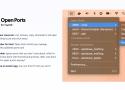
💻 Lives in your menu bar.
List, browse, copy, terminate or kill open ports. Everything is just one click away!
🐳 Using Docker for Mac?
Open Ports will let you manage containers with published ports too!
🪄 Customizable.
Ignore ports that you don't care about, which is what I should have done with that Discord process. Wait, why does Discord need to open a port anyway?
🐣 It may have an easter egg.
Can you find it? I bet you can't!

Dropover is a utility that makes Drag & Drop easier. Use it to stash, gather or move any draggable content without having to open side-by-side windows.
It provides an easy-to-access storage shelf for your Mac that where you stash any draggable content. It appears exactly when you need it and floats on top of other windows. This allows you to navigate stress-free to your destination.
Möbius Sync is a third-party iOS app for Syncthing, allowing you to synchronise files between iOS and other devices (including Windows, MacOS, Linux, Android).
Get sh*t done across Mail, Calendar & Drive. Access Boomerang, Grammarly, Google Services,
and all of your favorite apps. Did we mention Unified Search?
MakeMKV is your one-click solution to convert video that you own into free and patents-unencumbered format that can be played everywhere. MakeMKV is a format converter, otherwise called "transcoder". It converts the video clips from proprietary (and usually encrypted) disc into a set of MKV files, preserving most information but not changing it in any way. The MKV format can store multiple video/audio tracks with all meta-information and preserve chapters. There are many players that can play MKV files nearly on all platforms, and there are tools to convert MKV files to many formats, including DVD and Blu-ray discs.
Additionally MakeMKV can instantly stream decrypted video without intermediate conversion to wide range of players, so you may watch Blu-ray and DVD discs with your favorite player on your favorite OS or on your favorite device.
UMSATZ MACHT DIE BUCHHALTUNG ZUM PONYHOF
Umsatz ist das einzige Buchhaltungsprogramm, bei dem du nicht weinen musst. Versprochen.