MP4 muxer and editor, can add tx3g subtitles, video, audio and chapters tracks compatible with QuickTime
Miru is a set of modular, extensible Web platform tools and components for still image and multi-track video editing and state-of-the-art, real-time AR. Using WebGL, WebAssembly, and open source, mobile-optimized machine learning models, Miru will give people on the social web the tools to edit images and apply interactive effects to recorded video without compromising on privacy and transparency. Miru aims to provide intuitive and user-friendly UIs which developers can easily integrate into their Web apps regardless of the front-end frameworks they use.
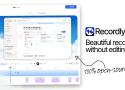
Online motion design and video editor
Free alternative to editors such as Adobe After Effects
- Web-based: nothing to install
- For Windows, macOS and Linux
- Import images, videos, audios and 3D models
- Video effects
- Layer based compositions
- Keyframes animation system
- Your files stay on your computer, they are not uploaded to a server
Friction is a powerful and versatile motion graphics application that allows you to create stunning vector and raster animations for web and video platforms with ease.
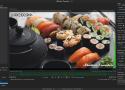
Shutter Encoder is one of the best video converter software, it handles images and audio too!
It has been designed by video editors in order to be as accessible and efficient as possible.
Shutter Encoder makes use of FFmpeg to handle its encoding, allowing support for almost
every codec you’ve ever heard of, and many more you haven’t.
Don’t just take our word for it though, Avid themselves recommend Shutter Encoder
as part of your Media Composer and ProTools ingesting workflow!
Videoloupe for Mac bridges the gap between free media players and professional editing suites. It offers a unique mix of playback controls, editing tools and export options not found in other video applications.
Olive is a free non-linear video editor for Windows, macOS, and Linux.
What makes these tools unique are the ratecontrol systems which achieve those goals.
This package is based on my original collection of Video Transcoding Scripts written in Bash. While still available online, those scripts are no longer in active development. Users are encouraged to install this Ruby Gem instead.
Most of the tools in this package are essentially intelligent wrappers around Open Source software like HandBrake, FFmpeg, MKVToolNix, and MP4v2. And they're all designed to be executed from the command line shell:
transcode-video Transcode video file or disc image directory into format and size similar to popular online downloads.
detect-crop Detect crop values for video file or disc image directory.
convert-video Convert video file from Matroska to MP4 format or from MP4 to Matroksa format without transcoding video.
query-handbrake-log Report information from HandBrake-generated .log files.
So lets start by installing the needed tools for extracting the subtitles from the .mkv files:
brew install mkvtoolnix
Next we want to see all tracks of the .mkv file:
mkvmerge -i my-movie.mkv
This will give you a similar output:
File 'my-movie.mkv': container: Matroska
Track ID 0: video (MPEG-4p10/AVC/h.264)
Track ID 1: audio (DTS)
Track ID 2: audio (DTS)
Track ID 3: subtitles (VobSub)
Track ID 4: subtitles (VobSub)
Chapters: 16 entries
So we see that this .mkv has one video, two audio (english and german) and two VobSub subtitles tracks (english and german). We are interested in the two last tracks and with these commands you can extract them:
mkvextract tracks my-movie.mkv 3:sub3.srt 4:sub4.srt
Currently I only extracted VobSub subtitles and this guide deals with the .sub/.idx files and convert them to the .srt format. It could also be that there are already .srt files in the .mkv files, then you do not need to convert anything and just check the language of the subtitles by opening them in any text editor and check the language.
This will result in four files named sub3.idx/sub3.sub and sub4.idx/sub4.sub in the same directory. Currently we do not see what language the subtitles are so we need to convert them to the .srt format. Before we are able to do this we need to install the needed tools:
brew install --all-languages tesseract
brew install --HEAD https://github.com/ruediger/VobSub2SRT/raw/master/packaging/vobsub2srt.rb
After that you can execute the following commands to convert the subtitles from the .idx/.sub format to the .srt format:
vobsub2srt my-movie
Please note that you just add the name of the .idx/.sub subtitle files. So you do not need to add any file extension just the name. This process can take some time depending on the size of the subtitles.