TimeMachineEditor is a software for macOS that starts backups in Time Machine at particular times. You can choose an interval or create other types of scheduling (see the screenshots below).
This is useful if you don’t need to backup every hour and don’t want the performance penalty. For example you might be frequently creating or modifying files which would cause long-running backup operations throughout the day.
AirPods Sound Quality Fixer And Battery Life Enhancer For MacOS
Fixes sound quality drops when using AirPods with Macs. It forces the default audio input to be the built-in microphone instead of AirPods' microphone so MacOS doesn't have to mix down the output. It also increases battery life because AirPods doesn't have to broadcast sound back. If you have more input devices you can select which device you want to force over the AirPods microphone.

cool-retro-term is a terminal emulator which mimics the look and feel of the old cathode tube screens. It has been designed to be eye-candy, customizable, and reasonably lightweight.

Bonjeff is a Mac app that shows you a live display of the Bonjour services published on your network.
Why?
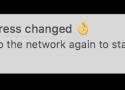
Wifi networks collect a reference to your computer (called MAC address) when you login. That way, when you try to login again, even with different credentials, they detect that it is the same device and do not allow you to continue using it.
How?
By renewing your device's MAC address, the wifi network will not identify your computer and therefore is tricked into thinking it's a new device. When you try to login again it won't trigger the error message and you're free to use it.

MediaMate provides fresh visuals for the Volume, Display and Keyboard Brightness HUD and introduces a new Now Playing HUD!
Features
A Now Playing HUD which shows the current playing media, and provides quick controls such as play/pause and scrubbing. It can be shown "inside" the notch, or in a separate bubble.

An audio, brightness and keyboard brightness HUD which replace the native HUDs.

iOS-styled theme, circular theme, notch theme and the classic theme.

Audio output icons to quickly see the output device in the audio HUD.

Shortcuts to control keyboard brightness

Focus Filters: hide HUDs when a focus mode is enabled

Lots of settings to customise the app to your needs
Compatibility
Touchbar & Non-touchbar macs are supported

Extended display brightness & volume support with Lunar or BetterDisplay (others are not supported)

Now Playing works with most apps, including Apple Music, Spotify, Chrome, ...
Improve your Mac experience with a bunch of useful functionality:
Hide all windows (aka. boss mode)
Show the menu bar window for the Passwords app with a keyboard shortcut
Toggle Finder with a keyboard shortcut (aka. visor mode)
Finder: Move files by cutting1 (Command+X) and pasting (Command+V)
Finder: Open files with Return
Finder: Create new text file with Option+N (video) or from the context menu
Finder: Move files to the trash with ⌫ instead of ⌘⌫
Finder: Adds lots of useful actions to the context menu: copy path, move to, open folder with, AirDrop, etc.
Mail: Copy message link
Quit apps with ⇧⌘Q instead of ⌘Q to prevent accidental quitting2
Clicking an active app’s Dock icon hides the app or minimizes its windows
Unminimizes an app’s windows when activated (e.g., via Command+Tab)
Export/import (backup) settings for any apps (video)
Offers to install apps from mounted DMG files
Only show system sound menu bar icon when muted
Toggle dark mode
Toggle low power mode
Toggle grayscale mode3
Toggle desktop widgets visibility
Clear visible notifications with a keyboard shortcut
Clear clipboard
Add Dock spacers
Reset privacy permissions for any apps
More planned…
This is my playground for supercharging macOS. It’s just the start. Come along for the ride.
Video review
Article about the app
A free, source-available and fair-code licensed mac app cleaner inspired by Freemacsoft's AppCleaner and Sun Knudsen's Privacy Guides post on his app-cleaner script. This project was born out of wanting to learn more on how macOS deals with app installation/uninstallation and getting more Swift experience. If you have suggestions I'm open to hearing them, submit a feature request!
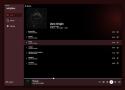
This is unofficial audio client for jellyfin app. Currently it supports macOS, iOS and android via APK file. I'm also working on adding Linux(deb) support and windows.
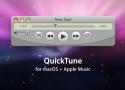
Control Apple Music with this simplified controller that has the look and feel of QuickTime 7.

A Mac app and command-line tool for fiddling with display mirroring: on/off/toggle

Private AI assistant
for Mac. 💯Offline.
Loop is a macOS app that simplifies window management for you! You can effortlessly choose your window direction using a radial menu triggered by a simple key press, and customize it according to your preferences with personalized colors and settings. You can easily move, resize, and arrange your windows with just a few clicks, saving you valuable time and energy.

The color blindness simulator.
From the perspective of a color blind person, some colors are impossible to distinguish. Sim Daltonism lets you visualize colors as they are perceived with various types of color blindness. Use the camera on your iOS device, or use the Mac app to filter a region of the screen.
A Mac app for monitoring the status of cloud services. Stop worrying and be notified whenever a service you need isn't available. Check all services with a single click.
Accents is an app that lets you use the 2021 iMac's accent colors on any Mac.
Dropover is a macOS utility that makes Drag and Drop easier. Stash, gather or move draggable content without having to open side-by-side windows.

Bring System-level Arrange Window features to Mac