Manage your windows in Mission Control, adding keyboard navigation, shortcuts and more.

Background Music, a macOS audio utility: automatically pause your music, set individual apps' volumes and record system audio.
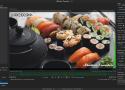
Shutter Encoder is one of the best video converter software, it handles images and audio too!
It has been designed by video editors in order to be as accessible and efficient as possible.
Shutter Encoder makes use of FFmpeg to handle its encoding, allowing support for almost
every codec you’ve ever heard of, and many more you haven’t.
Don’t just take our word for it though, Avid themselves recommend Shutter Encoder
as part of your Media Composer and ProTools ingesting workflow!

Private, markdown based, note taking app with a focus on speed, simplicity and ownership.
Rocket is a free Mac app that makes typing emoji faster and easier using Slack-style shortcuts.
A Friendly and Powerful Game Boy Emulator

Menu bar calendar for macOS. Contribute to pakerwreah/Calendr development by creating an account on GitHub.
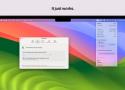
Manage and extend the life of your Mac's battery with BatFi, a powerful yet simple battery management software designed exclusively for macOS. BatFi keeps a close eye on your battery's percentage and charging state, offering intelligent control to ensure optimal battery performance and longevity.

A modern Wine wrapper for macOS built with SwiftUI

Animated SVG icons
you'll love to use
Loaf takes the hassle out of manually creating SVG animations.
Meet the fastest AI image upscaler you've seen. Go from 400px to 2000px in less than 2 seconds, adding missing details as it goes along. Full privacy. No usage limits. No more buying credits on shady websites.
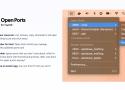
💻 Lives in your menu bar.
List, browse, copy, terminate or kill open ports. Everything is just one click away!
🐳 Using Docker for Mac?
Open Ports will let you manage containers with published ports too!
🪄 Customizable.
Ignore ports that you don't care about, which is what I should have done with that Discord process. Wait, why does Discord need to open a port anyway?
🐣 It may have an easter egg.
Can you find it? I bet you can't!

Hand Mirror is a super simple app that lives in your Menu Bar (little cozy top right corner of your Mac) and gives you a one-click access camera check!
‣ Need to jump on a video call? Quick camera check.
‣ Need to quickly check your surroundings? Quick camera check.
‣ Need a view of your camera for when you're streaming or recording your screen? Quick camera check and drag the window around.
‣ Need to check your face because you're gorgeous? Quick camera check.
Hidden Bar lets you hide menu bar items to give your Mac a cleaner look.

Dropover is a utility that makes Drag & Drop easier. Use it to stash, gather or move any draggable content without having to open side-by-side windows.
It provides an easy-to-access storage shelf for your Mac that where you stash any draggable content. It appears exactly when you need it and floats on top of other windows. This allows you to navigate stress-free to your destination.
Very fast. Zero telemetry.
Lightweight, natively built with WebKit, made for you and your Mac.1
Industry-leading battery life, privacy respecting by design and native support for web extensions.2

Save all your Mac apps for later with one click 🖱️
Later is a Mac menu bar app that clears and restores your workspace with ease. Switch off from work, tidy up your desktop before screen sharing, schedule apps for later, and more.

Replacement for MacOS' HUDs.
Every day you change your volume or brightness and an ugly and unbelievably old overlay animation appears. SlimHUD is what you need.

Simple Comic is a streamlined comic viewer for macOS. This is a fork from the original version since the maintainer of that has gone away.
The basic feature drive is to reduce the number of interactions required to browse a comic.
Quick Comic is a bundled quicklook preview and thumbnail generation plugin for cbr and cbz files.